OnePlus today announced via a blog post that it is bringing its OnePlus Message App 6.0 to the Play Store. The company also announced a design revamp for the app that brings message categorization – segregating messages into transactional, promotional, and one-time passwords (OTPs), in addition to the standard conversation view. Important messages, such as bank transactions, will also be served in a “concise card format” and the app can offer to auto-archive OTPs to reduce clutter.
Google also is known to be working on a revamp for its hugely popular Messages app, bringing similar functionality aimed at helping users better manage messages and conversations. Such categorization capabilities are not new to messaging apps and have been present in offerings such as Microsoft’s SMS Organizer for a while now. However, for those that prefer first-party apps, OnePlus’ solution would be a welcome addition.

The option to let the app automatically categorize transaction-related messages and OTPs makes it easier to find the desired conversations and easily clear or archive unwanted temporary OTPs. The concise information cards will also negate the need to look for the most recent messages when it comes to bank transactions.
Also Read : OxygenOS 11 Apps & Update : Download Now
The OnePlus Message App 6.0 will currently be available in the Play Store only for users in India. Though the store listing has been live for a few weeks now, it is only now being made available for download. Availability is also currently limited to the OnePlus 7 and 7T series of devices. However, the company does promise to bring the “stable version” to more devices in the month. It is not clear when these capabilities for the Messages app will roll out to more regions.
Author Profile

Latest entries
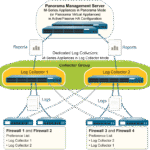 Tips & TricksNovember 7, 2025master_not_discovered_exception in Palo Alto Networks Log Collector
 Tech NewsAugust 17, 2025Malware Analysis For Remcos Remote Access Trojan (RAT)
 Tech NewsJune 10, 2025How to register and install iOS 26, iPadOS 26, and macOS Tahoe
 Tech NewsJune 1, 2025How to Install Cisco and Juniper Images in EVE-NG



0 Comments